Designing Personalized Keychains for Laser Cutting: A Maker's Guide
Learn how to design and assemble personalized laser-cut keychains with flowers, hearts, and family themes. Tips on materials, engraving, and finishing.
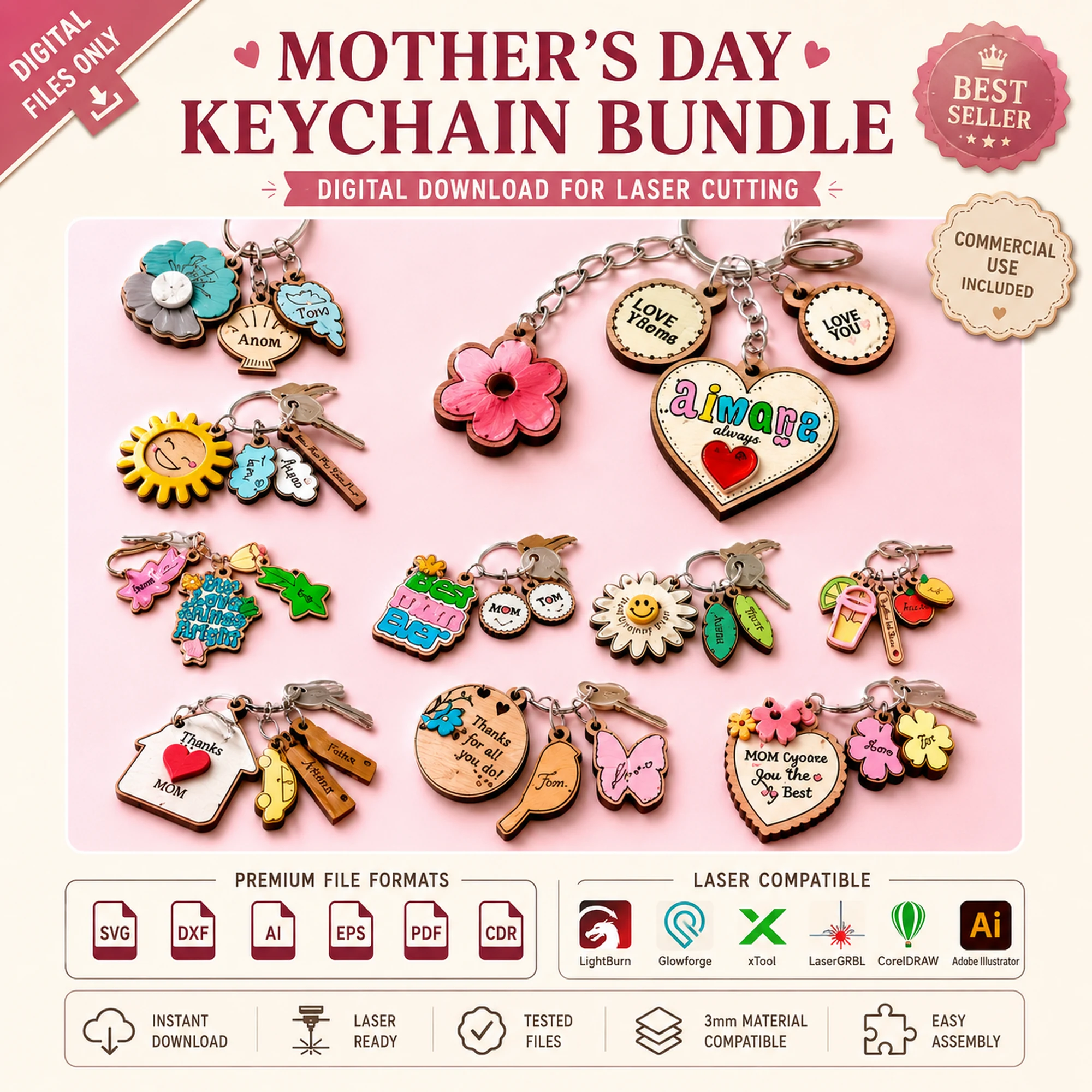
Personalized keychains are one of the most satisfying laser-cutting projects you can make. They are small, quick to produce, and endlessly customizable. Whether you are crafting a gift for a family member, creating a small batch for a craft fair, or simply experimenting with new techniques, keychains offer a perfect balance of creativity and practicality.
In this guide, you will learn how to approach a personalized keychain project from start to finish. We will cover design considerations, material selection, engraving and cutting strategies, assembly, and finishing touches. Along the way, we will look at how a ready-made SVG bundle, such as the Mother’s Day Keychain SVG Bundle from LaserNest, can streamline your workflow and inspire your own designs.
Why Keychains Are a Great Laser Project
Keychains are an ideal entry point for laser cutting because they are small, require minimal material, and can be completed in a short time. They also make excellent gifts because they are personal and practical. A keychain can carry a name, a date, a favorite flower, or a heart symbol, making it a meaningful keepsake.
From a maker’s perspective, keychains allow you to practice precision cutting and engraving without committing to a large project. They are also a great way to test new materials or fine-tune your laser settings. Because they are small, you can cut several at once, which is perfect for batch production or gift sets.
Designing Your Keychain: Themes and Personalization
The first step in any keychain project is deciding on a theme. Popular themes include flowers, hearts, family names, initials, and symbols that hold special meaning. For Mother’s Day, for example, you might choose a flower design with a child’s name or a heart with a family surname. The key is to make it personal.
When designing your own keychain, consider the following:
- Shape and Size: Keychains are typically small, but the exact dimensions depend on your design and material. A good rule of thumb is to keep the overall size within a few inches so it remains portable and comfortable to carry.
- Cutouts and Details: Intricate cutouts can make a design look delicate, but they also require careful cutting. Ensure that any internal cutouts are large enough for your laser to handle and that they do not weaken the structure.
- Engraving Areas: If you plan to engrave a name or message, leave a flat, unobstructed area on the design. Text should be legible at the size you intend to use.
- Attachment Hole: Remember to include a hole for the keyring. The hole should be large enough for the ring to pass through but small enough not to compromise the keychain’s strength.
If you are new to design, starting with a pre-made SVG file can save time and ensure accuracy. The Mother’s Day Keychain SVG Bundle includes flower, heart, and family-themed designs that you can personalize with your own text or engravings. These files are provided in multiple formats, including SVG, DXF, AI, EPS, PDF, and CDR, so you can use them with most laser software.
Choosing the Right Material
The material you choose affects both the look and durability of your keychain. Common options include:
- Plywood: A popular choice for laser cutting because it is affordable and cuts cleanly. Thin plywood is often used for keychains, but you should always test your specific material to determine the best settings.
- Acrylic: Available in many colors and finishes, acrylic can give a modern, glossy look. It cuts well but may require different settings than wood.
- Hardwood: For a premium feel, you might use a hardwood like birch or maple. These are more expensive but produce beautiful results.
When selecting material, consider the thickness. Thicker material will be sturdier but may require more power and time to cut. Always run a test cut on a scrap piece to verify that your settings produce clean edges without excessive charring.
Preparing Your Laser File
Once you have your design, you need to prepare the file for your laser cutter. If you are using a pre-made SVG, you can import it directly into your laser software. If you are designing from scratch, you will need to create vector paths for cutting and engraving.
Here are some tips for file preparation:
- Separate Cut and Engrave Layers: In your design software, put cut lines on one layer and engrave lines on another. This allows you to assign different settings to each layer in your laser software.
- Check for Open Paths: Ensure all cut paths are closed. Open paths can cause incomplete cuts.
- Set Line Colors: Many laser programs use line color to distinguish between cut and engrave. Use red for cut and black for engrave, or follow your software’s conventions.
- Scale Correctly: Verify that your design is sized correctly for your material. A keychain that is too large may not fit comfortably, while one that is too small may be difficult to engrave.
If you are using the Mother’s Day Keychain SVG Bundle, the files are already prepared, so you can focus on personalization and cutting.
Cutting and Engraving Your Keychain
With your file ready, you can proceed to cutting. Here are some general guidelines:
- Test First: Always run a small test piece to confirm your settings. This is especially important when using a new material or a new file.
- Engrave Before Cutting: If your design includes both engraving and cutting, it is usually best to engrave first. This prevents the piece from moving during the engraving process.
- Use a Honeycomb or Pin Board: A honeycomb worktable supports the material and helps with heat dissipation, reducing the risk of warping.
- Monitor the Cut: Keep an eye on the laser during the cut to ensure that the material does not catch fire or shift.
After cutting, you may need to remove any small tabs or residual material. A craft knife or sandpaper can help clean up edges.
Assembly and Finishing
Once your keychain pieces are cut, you can assemble them. If your design has multiple layers, such as a flower with a separate heart, you will need to glue them together. Use a wood-safe adhesive and clamp the pieces until the glue dries.
After assembly, you can finish the keychain to protect the wood and enhance its appearance. Options include:
- Sanding: Lightly sand the edges to remove any roughness.
- Sealing: Apply a clear coat or wood finish to protect against moisture and wear.
- Painting: You can paint the keychain or add color to engraved areas. Use acrylic paint and wipe off excess for a clean look.
Finally, attach a keyring or split ring through the hole. Your personalized keychain is now ready to use or gift.
Creative Ideas for Personalized Keychains
Here are a few ideas to inspire your next keychain project:
- Family Initials: Cut a large initial and engrave the family name below it.
- Flower with Name: Use a flower design and engrave a name in the center.
- Heart with Date: A heart shape with an anniversary date is a romantic gift.
- Pet Keychain: Create a keychain shaped like a pet and add the pet’s name.
- Batch Sets: Make a set of keychains for a family, each with a different name.
These ideas can be adapted to any theme or occasion.
Troubleshooting Common Issues
If your keychain does not turn out as expected, here are some common issues and solutions:
- Charred Edges: Reduce laser power or increase speed. You can also use masking tape on the surface to minimize burn marks.
- Incomplete Cuts: Increase power or slow down the speed. Check that the material is flat and the focus is correct.
- Engraving Too Light or Too Dark: Adjust the power and speed settings for engraving. A test piece will help you find the right balance.
- Warping: Use a lower power setting and ensure the material is fully supported.
Remember that every laser and material combination is different, so keep a log of your settings for future reference.
Conclusion
Personalized keychains are a wonderful laser-cutting project for makers of all skill levels. They are small, versatile, and make heartfelt gifts. By focusing on thoughtful design, careful material selection, and proper technique, you can create keychains that are both beautiful and durable.
If you are looking for a head start, the Mother’s Day Keychain SVG Bundle from LaserNest offers a collection of flower, heart, and family-themed designs in multiple file formats. You can personalize these designs with names, dates, or messages, and they are ready to cut. Whether you are making a gift for someone special or adding a new product to your craft business, these files can help you bring your ideas to life.
Happy making!